

-
Navigate to the More section using the bottom navigation.

-
Tap on the Users row.

-
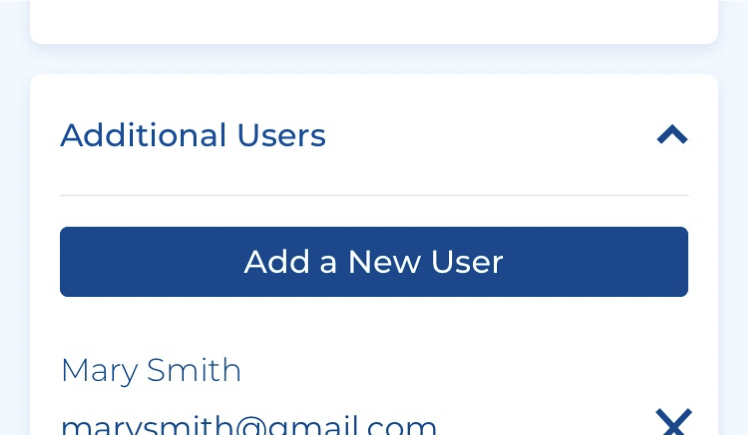
Scroll down to the Additional Users tile. Press Add a New User.
-
A popup window will open. Enter an email address to be used for logging into mySUPERIOR and optionally enter a name for the user.
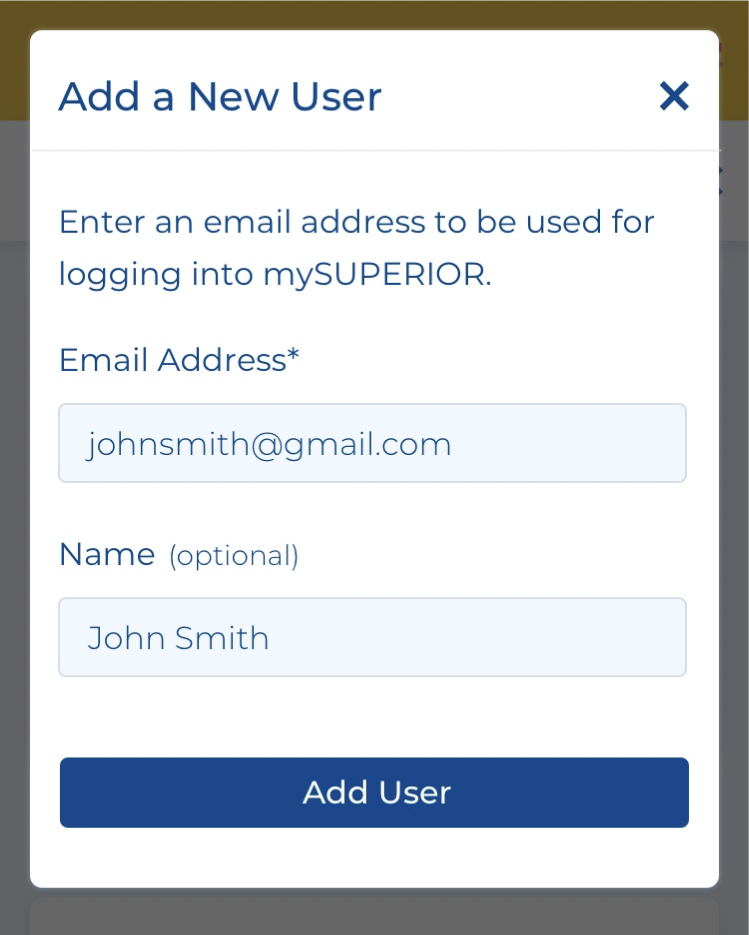
- Press Add User to complete the process.
How would you like us to reach you?
Account Login
 or
or

Account Login
New to mySUPERIOR™?
Manage your account online or on our mobile app. Sign up for mySUPERIOR™ today and experience the benefits:
- Request Deliveries & Get Instant Delivery Dates
- Receive Delivery Updates
- See Tank Levels & History
- View Balance & Pay Bills
- Manage Multiple Locations & Users
